 By chloe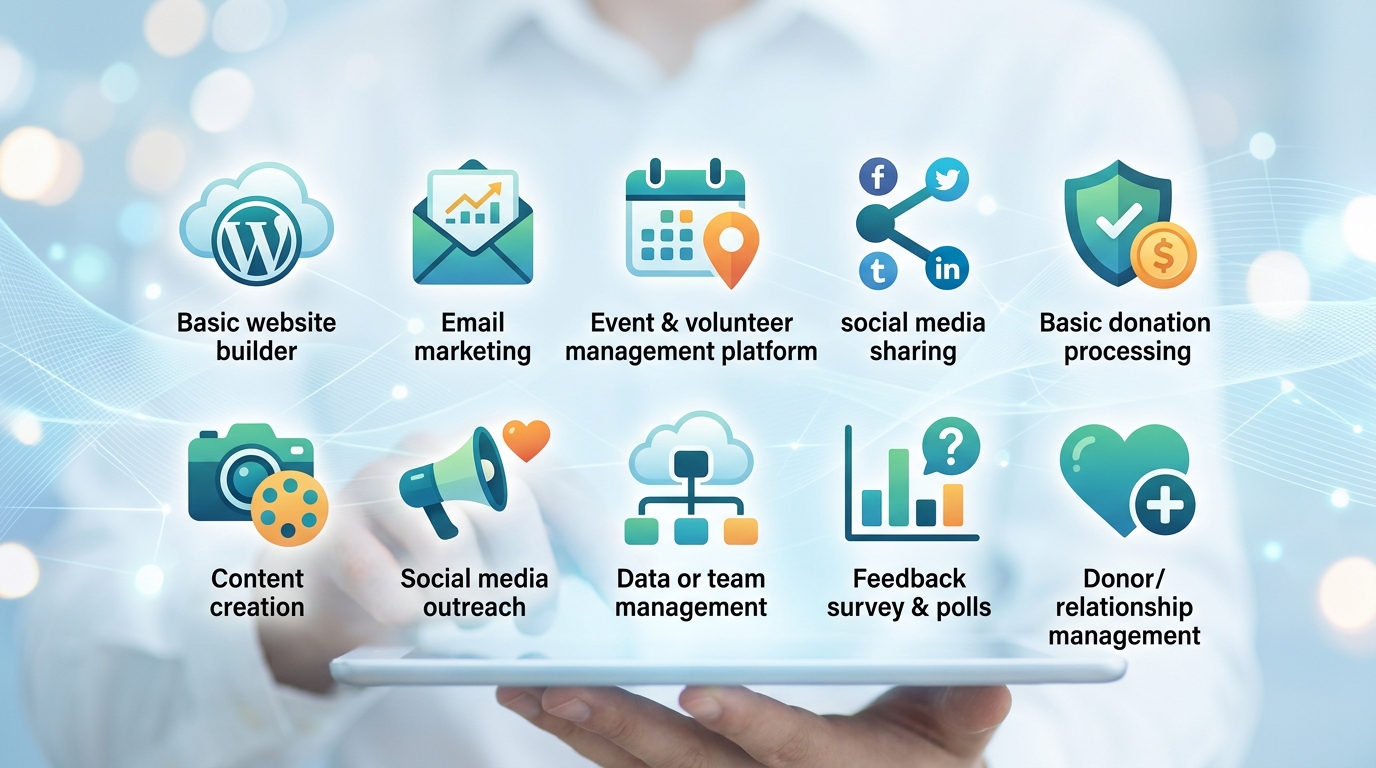
Running a small charity means wearing multiple hats at once. You’re the fundraiser, the marketer, the event planner, and sometimes the IT department too. The good news? You don’t need a massive budget to run professional operations. Dozens of companies offer free digital tools for nonprofits that rival expensive enterprise software. These platforms can transform how you manage donors, communicate with supporters, and measure your impact.
Small nonprofits can access powerful free digital tools that streamline operations, boost donor engagement, and amplify mission impact. From donor management systems to design platforms, these cost-effective solutions help charities compete with larger organizations while staying within tight budget constraints. The right technology stack transforms limited resources into maximum community benefit.
Why free tools matter for small charities
Budget constraints hit nonprofits harder than most organizations. Every dollar spent on software is a dollar not going directly to your mission. Yet outdated processes waste time and money in ways that add up fast.
Spreadsheets crash. Email lists get messy. Volunteers forget tasks. Donors slip through the cracks.
Free digital tools solve these problems without the price tag. Many companies offer nonprofit-specific programs that waive subscription fees entirely. Others provide generous free tiers that work perfectly for organizations under a certain size.
The catch? You need to know which tools actually deliver value and which ones create more headaches than they solve.
Essential categories every nonprofit needs
Before jumping into specific platforms, think about where your organization spends the most time. Most small charities need help in these core areas:
- Donor relationship management and tracking
- Email communication and newsletters
- Social media scheduling and engagement
- Project coordination and task management
- Graphic design for campaigns and events
- Online fundraising and payment processing
- Video calls and team collaboration
- Website hosting and content management
- Financial tracking and reporting
- Volunteer coordination and scheduling
You probably don’t need a tool for every single category right away. Start with the areas causing the most friction in your daily work.
Top free digital tools for nonprofits by function
Donor management without the price tag
Bloomerang offers a completely free version called Bloomerang Starter that includes contact management for up to 250 contacts. You can track donations, send thank you emails, and generate basic reports. The interface feels intuitive even if you’ve never used a CRM before.
Little Green Light provides another solid option with their free plan supporting unlimited contacts but capping your database at 250 records. This works well for newer organizations still building their supporter base.
Both platforms let you graduate to paid plans as you grow, which means you won’t need to migrate your entire database to a new system later.
Email marketing that actually gets opened
Mailchimp remains the gold standard for nonprofit email marketing. Their free plan covers up to 500 contacts and 1,000 monthly sends. You get access to templates, basic automation, and signup forms for your website.
The reporting dashboard shows open rates, click rates, and which links people actually care about. This data helps you understand what messages resonate with your community.
Sender offers another free option with 2,500 subscribers and 15,000 emails per month. Their drag-and-drop builder makes creating professional newsletters feel less like a chore.
Social media management for busy teams
Buffer lets you schedule posts across multiple platforms from one dashboard. The free plan includes three social channels and ten scheduled posts at a time. You can plan your entire week of content during one focused session instead of logging into different platforms throughout the day.
Later specializes in visual platforms like Instagram and Pinterest. Their free tier supports one social profile per platform and 30 posts per month. The visual calendar view helps you see how your feed will look before anything goes live.
Both tools save hours each week and help maintain consistent posting schedules even when life gets hectic.
Project management that keeps everyone aligned
Trello uses a card-based system that feels like organizing sticky notes on a digital board. The free version supports unlimited cards and up to ten boards. Teams can track fundraising campaigns, event planning, and volunteer projects all in one place.
Asana takes a more list-based approach with tasks, subtasks, and due dates. Their free plan works for teams up to 15 people with unlimited tasks and projects. The mobile app means you can update progress from anywhere.
Monday.com offers a generous free tier for up to two users. The visual workflow boards help teams see project status at a glance without endless status meetings.
Design tools that make you look professional
Canva revolutionized graphic design for non-designers. Their free plan includes thousands of templates, photos, and graphics. You can create social media posts, flyers, presentations, and annual reports without touching Photoshop.
The brand kit feature (available in the nonprofit program) lets you save your logo, colors, and fonts so everything stays consistent. Request access to Canva for Nonprofits to unlock premium features at no cost.
Adobe Express offers another free option with templates optimized for social media. The quick actions let you remove backgrounds, resize images, and convert file types without learning complex software.
Video conferencing that connects your team
Zoom provides free accounts with 40-minute meetings for groups. This works perfectly for weekly team check-ins, volunteer training sessions, and donor cultivation calls. The recording feature means people who miss meetings can catch up later.
Google Meet comes free with Google Workspace for Nonprofits. You get 100-participant meetings with no time limits. The integration with Google Calendar makes scheduling seamless.
Both platforms offer screen sharing, which helps when walking someone through a new process or presenting campaign results to your board.
Website builders designed for impact
WordPress.org powers more nonprofit websites than any other platform. The software itself is free, though you’ll pay for hosting. Many nonprofits start with affordable shared hosting for under $10 per month.
Wix offers a dedicated nonprofit program with free premium plans. You get a custom domain, removed Wix branding, and access to their full template library. The drag-and-drop editor means you can update content without calling a developer.
Google Sites provides the simplest option for basic websites. It integrates seamlessly with other Google tools and costs nothing beyond your domain name.
How to choose the right tools for your organization
Picking tools feels overwhelming when you see dozens of options in each category. This framework helps narrow down choices:
- List your three biggest operational pain points right now
- Ask other nonprofits in your network what they actually use daily
- Test free trials or free tiers for two weeks of real work
- Check if the tool offers nonprofit-specific discounts or programs
- Evaluate whether the learning curve fits your team’s technical comfort
- Confirm the free version includes features you actually need
Most tools let you export your data if you decide to switch later. Don’t let fear of choosing wrong prevent you from choosing at all.
Common mistakes when adopting new technology
| Mistake | Why It Hurts | Better Approach |
|---|---|---|
| Adopting too many tools at once | Team gets overwhelmed and nothing sticks | Implement one tool per quarter maximum |
| Choosing based on features instead of needs | You pay for complexity you never use | Start with simplest solution that solves your problem |
| Skipping training and documentation | Team reverts to old habits within weeks | Schedule onboarding sessions and create cheat sheets |
| Not assigning a tool champion | Nobody takes ownership when issues arise | Designate one person to become the expert |
| Ignoring data migration planning | You lose historical information in the switch | Plan how to move existing data before committing |
The fanciest tool means nothing if your team won’t use it consistently. Simple systems that everyone actually follows beat sophisticated platforms that sit empty.
Getting your team on board with new tools
Change is hard, especially for volunteers who donate their time. Some team members will resist new technology no matter how much it helps.
“The best technology adoption happens when you solve a pain point people already feel. Show them how the new tool eliminates something they currently hate doing.” — Nonprofit technology consultant
Start by identifying your early adopters. These team members get excited about trying new things and can become champions who help others learn. Give them early access and ask for feedback before rolling out organization-wide.
Create simple getting-started guides with screenshots. Record short video tutorials showing the three most common tasks. Make help resources easy to find when someone gets stuck.
Celebrate small wins publicly. When someone uses the new tool successfully, acknowledge it in team meetings. This builds positive associations and shows skeptics that adoption is happening.
Maximizing free nonprofit programs and discounts
Beyond general free tiers, many companies offer special nonprofit programs with additional benefits:
- Google Workspace for Nonprofits provides email, storage, and collaboration tools free for qualifying organizations
- Microsoft 365 Nonprofit offers donated and discounted licenses for Office applications and cloud services
- Salesforce Nonprofit Cloud includes ten free licenses plus heavily discounted additional seats
- Slack for Nonprofits discounts their paid plans by 85% for qualified organizations
- GitHub offers free accounts for nonprofit open source projects
TechSoup serves as a central hub for accessing these programs. They verify your nonprofit status once, then you can access hundreds of discounted and donated technology products.
The application process usually requires your tax-exempt determination letter and proof of your charitable mission. Processing takes anywhere from a few days to several weeks depending on the company.
Building your nonprofit technology stack
Think of your tools as building blocks that work together rather than isolated solutions. The most effective setups connect different platforms so information flows automatically.
For example, you might connect:
- Your donation form to your email marketing tool so new donors automatically receive a welcome series
- Your social media scheduler to your analytics platform to track which posts drive website traffic
- Your project management tool to your calendar so deadlines appear where your team already looks
- Your volunteer signup forms to your CRM so you maintain one central database
Zapier and Make (formerly Integromat) both offer free plans that create these connections without coding. You can automate repetitive tasks and ensure information stays synced across platforms.
Start with one or two key integrations that save the most time. Add more connections gradually as you get comfortable with the concept.
Measuring impact with free analytics tools
Good decisions require good data. Free analytics tools help you understand what’s working and what needs adjustment.
Google Analytics tracks website visitor behavior at no cost. You can see which pages people read, how long they stay, and what actions they take. This information guides content strategy and website improvements.
Facebook and Instagram provide free insights for business accounts. You’ll see post reach, engagement rates, and follower demographics. These metrics help you understand your audience and refine your content approach.
Mailchimp includes email analytics in their free plan. Open rates and click rates tell you which subject lines and content types resonate with supporters.
Set aside time monthly to review these metrics. Look for patterns rather than obsessing over individual data points. Ask what the numbers tell you about your audience’s preferences and needs.
Security considerations for free tools
Free doesn’t mean careless with data. Your nonprofit handles sensitive information about donors, volunteers, and the people you serve.
Check these security basics for any tool you adopt:
- Does it offer two-factor authentication for logins?
- Where does it store data and what are their backup procedures?
- Can you control who on your team accesses what information?
- Does it comply with relevant privacy regulations?
- What happens to your data if you stop using the service?
Read privacy policies before uploading sensitive information. Look for tools that encrypt data both in transit and at rest. Avoid storing highly sensitive information like social security numbers or financial account details in free tools unless they’re specifically designed for that purpose.
Create a password policy for your organization. Use a password manager like Bitwarden (which offers a free nonprofit plan) to generate and store strong unique passwords for each platform.
When to upgrade from free to paid
Free tools work brilliantly until they don’t. You’ll know it’s time to upgrade when:
- You consistently hit limits on contacts, emails, or storage
- You need features only available in paid tiers
- Manual workarounds take more time than a paid tool would cost
- Your organization has grown beyond what free plans support
- You require dedicated customer support for mission-critical tools
Calculate the time cost of working around limitations. If a staff member spends five hours monthly managing spreadsheets that a $30 tool would automate, you’re already losing money on the “free” option.
Many tools offer nonprofit discounts on paid plans that make upgrading affordable. A tool costing $100 monthly for businesses might run $15 monthly for registered nonprofits.
Budget for technology as part of your operational expenses rather than treating it as optional. The right tools multiply your team’s effectiveness and let you serve more people with the same resources.
Making technology work for your mission
Free digital tools for nonprofits level the playing field between small charities and well-funded organizations. A volunteer-run community group can now send professional email campaigns, manage donor relationships, and coordinate complex projects using the same platforms as major nonprofits.
The key is starting small and building gradually. Pick one area causing the most frustration right now. Find a free tool that addresses that specific problem. Get your team comfortable using it consistently. Then move on to the next challenge.
Technology should support your mission, not distract from it. Choose tools that save time, reduce frustration, and help you focus more energy on the people and causes you serve. Your community deserves the best version of your organization, and the right digital tools help you deliver exactly that.