 By chloe
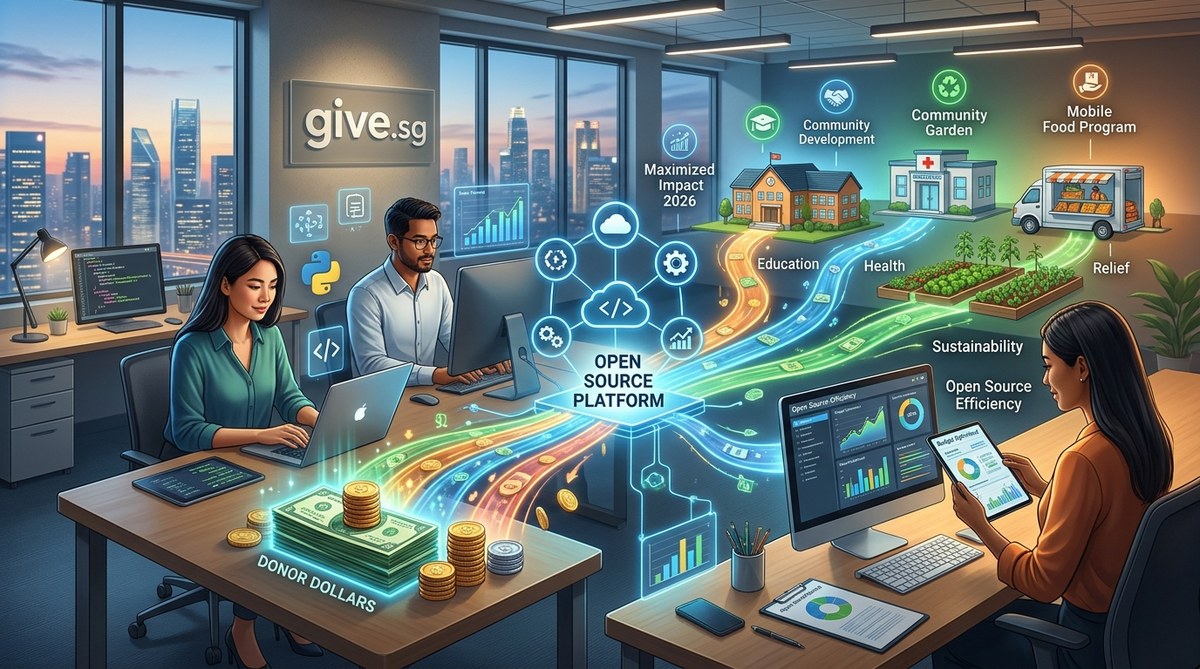
Every dollar counts. For nonprofit leaders in 2026, that statement has never been more literal. Budgets are tightening, donor expectations are rising, and teams are being asked to do more with less. The old playbook of buying expensive, all-in-one software suites is starting to feel like a luxury many organizations simply cannot afford. That is why a growing number of smart nonprofit executives are turning to a different approach: open source tools.
Open source tools let nonprofits redirect money from software licensing straight into mission-critical programs. In 2026, adopting these free, customizable platforms is a proven strategy to stretch every donor dollar further. This guide covers the top tools, a step-by-step adoption process, and common mistakes to avoid so your team can save money without sacrificing performance.
Why open source is winning in 2026
Think of open source software like a community garden. Anyone can use the soil, plant the seeds, and share the harvest. No single company owns it. Instead, a global community of developers maintains and improves the code. For a nonprofit, that means zero licensing fees, full control over your data, and the freedom to customize the software to fit your exact needs.
In 2026, this model is especially powerful. Donors are asking harder questions about overhead costs. They want to know exactly how much of their gift goes to the cause. By switching to open source, you are not just saving money. You are sending a signal that every penny is being treated with care. It is a trust builder.
The real cost of proprietary software
Most nonprofit software licenses are priced per user, per month. A team of 20 people using a popular CRM, a fundraising platform, and an email tool can easily spend $2,000 or more each month. That is $24,000 a year that could have bought meals, school supplies, or medical care.
Open source alternatives often cost nothing to download and use. You pay for hosting and maybe some customization, but those costs are usually a fraction of what you would pay for a proprietary license. Over a year, the savings can fund an entire new program.
Top open source tools for nonprofits in 2026
Here are the categories where open source tools are making the biggest difference for mission-driven organizations.
Customer relationship management (CRM)
Your CRM is the heart of your donor database. Open source options like CiviCRM and SuiteCRM give you the same features as expensive platforms without the monthly bill. They track donations, manage contacts, and automate follow-ups. You can even integrate them with your website to capture new donors automatically.
Fundraising and donation management
Tools like Tecalis and Donorbox (which offers a free tier for small nonprofits) help you accept online donations, manage recurring gifts, and generate tax receipts. Some open source payment gateways also let you avoid the high transaction fees charged by big processors.
Content management and websites
WordPress remains the gold standard for nonprofit websites. It is free, endlessly customizable, and has thousands of plugins designed specifically for charities. You can build a donation page, a volunteer sign-up form, and a blog to share impact stories without paying for a premium website builder.
Volunteer management
Platforms like Galaxy Digital and Volgistics (which has a free open source community edition) help you schedule shifts, track hours, and communicate with volunteers. No more spreadsheets or sticky notes.
Email marketing and newsletters
Sendy and Mautic are open source email platforms that let you send unlimited emails for a flat server fee. Compare that to Mailchimp, which charges based on your subscriber count. For a nonprofit with 10,000 subscribers, the savings can be thousands of dollars per year.
A step-by-step process to adopt open source tools
Making the switch does not have to be overwhelming. Follow these steps to move your organization to open source without disrupting your operations.
-
Audit your current software stack. List every tool your team uses, how much it costs, and what problem it solves. Include the monthly or annual fees.
-
Identify the biggest cost drivers. Look for the tools that eat up the most budget. Often, it is your CRM or email marketing platform.
-
Research open source alternatives. For each paid tool, find two or three open source options. Read reviews, check community support, and look at the feature list.
-
Run a pilot with a small team. Do not switch everyone at once. Pick one department or one function and test the new tool for 30 days. This reduces risk and gives you real feedback.
-
Plan the data migration. Moving donor data can be tricky. Map out how you will export from the old system and import into the new one. Make backups.
-
Train your team. Open source tools sometimes have a steeper learning curve. Set aside time for training. Record sessions so new hires can catch up later.
-
Launch and monitor. Go live with the new tool. Watch for issues. Keep the old tool running in read-only mode for a month in case you need to roll back.
Common mistakes when switching to open source
Even the best plan can hit a snag. Here are the most frequent mistakes nonprofits make and how to avoid them.
| Mistake | Why it hurts | How to avoid it |
|---|---|---|
| Choosing a tool with weak community support | You get stuck on bugs with no help | Pick tools with active forums and regular updates |
| Ignoring hosting and maintenance costs | You save on licensing but overspend on servers | Budget for hosting, backups, and security updates |
| Skipping the pilot phase | You roll out a tool that does not fit your workflow | Always test with a small group first |
| Not planning for data migration | You lose donor history or duplicate records | Create a detailed migration plan and test it |
| Forgetting about integrations | Your new tool does not talk to your website | Check for APIs and plugins before committing |
“The biggest mistake I see is organizations trying to replicate their old proprietary system exactly in an open source tool. That is the wrong approach. Instead, ask yourself: what is the simplest way to solve this problem? Open source lets you build lean. Do not waste that opportunity.” — Maria Chen, nonprofit technology consultant
How open source builds donor trust
Transparency is a currency in 2026. Donors want to see where their money goes. Open source software makes that easier because you can share your entire tech stack publicly. You can say, “We use free, community-built tools so that 95 cents of every dollar goes directly to our programs.”
Some organizations even publish their cost breakdown on their website. It is a powerful differentiator in a crowded fundraising landscape. When a donor sees that you are not paying for fancy software, they feel more confident that their gift will be used wisely.
The hidden savings: customization and control
Proprietary software often locks you into a specific way of working. If you need a feature that does not exist, you either wait for the vendor to build it or you pay for a custom add-on. With open source, you can hire a developer to add exactly what you need. Or you can do it yourself if you have the skills.
This flexibility is a game changer for nonprofits with unique workflows. A food bank might need a custom inventory module. A literacy nonprofit might want a specific volunteer sign-up flow. Open source gives you that freedom.
Security and compliance in 2026
Some nonprofit leaders worry that open source is less secure than paid software. The truth is the opposite. Because the code is public, thousands of eyes are constantly reviewing it for vulnerabilities. Security patches often come out faster than with proprietary vendors.
That said, you still need to take responsibility. Keep your software updated. Use strong passwords. Encrypt your data. If you do not have an IT person on staff, consider hiring a managed hosting provider that specializes in open source. It is still cheaper than paying for licenses.
A practical guide to getting started today
You do not need to overhaul everything at once. Here is a realistic starting point.
- This week, replace your paid email marketing tool with an open source alternative like Sendy. The setup takes a few hours and you will start saving immediately.
- This month, migrate your donor database to CiviCRM. Use the pilot approach described above. Start with one campaign.
- This quarter, move your website to WordPress if it is not already there. Use a free theme designed for nonprofits.
- This year, evaluate every other tool in your stack. Ask yourself: is there a free, open source version that does the same job?
Building a community around your tech choices
One of the best parts of open source is the community. When you adopt these tools, you join a network of other nonprofits, developers, and activists who share your values. You can ask questions in forums, contribute code, and even suggest new features.
This sense of shared purpose aligns perfectly with the nonprofit mission. You are not just a customer. You are a participant. That feeling of ownership can boost morale on your team and attract tech-savvy volunteers who want to help.
Matching your tools to your mission
Your choice of software says something about your organization. When you choose open source, you are choosing to be resourceful, transparent, and community-minded. Those are the same values that inspire donors to give.
If you are still unsure, start by looking at your biggest expense. For most nonprofits, that is the CRM. Check out CiviCRM or SuiteCRM. Both have active communities and plenty of documentation. You can also read our guide on the complete guide to choosing donor management software for your nonprofit for a deeper comparison.
What happens when you save that money
Imagine what your organization could do with an extra $20,000 or $30,000 per year. Maybe that pays for a new after-school program. Maybe it funds emergency relief supplies. Maybe it hires a part-time grant writer who brings in even more funding.
Every dollar you save on software is a dollar you can put toward your mission. That is the bottom line. And in 2026, when donors are more careful than ever, showing that you are a good steward of their money is one of the most powerful things you can do.
Making the shift without overwhelming your team
Change is hard. Your staff might be attached to the tools they already know. That is okay. The key is to involve them in the process. Ask for their input. Let them test the new tools. Show them how much money the organization will save and what that means for the people you serve.
When people understand the “why,” they are much more willing to learn the “how.” Celebrate small wins along the way. When you successfully run your first campaign on the new CRM, send a team email. Acknowledge the effort.
Final thoughts on nonprofit open source tools in 2026
The shift toward open source is not just a trend. It is a return to the core values of the nonprofit sector: collaboration, transparency, and maximizing impact. By adopting these tools, you are not just saving money. You are joining a global movement of organizations that believe technology should serve the mission, not the other way around.
Start small. Pick one tool. Make the switch. See the savings. Then do it again. Your donors will notice. Your team will feel empowered. And your mission will be stronger for it. For more ideas on stretching your budget, check out our article on 10 free digital tools every small charity should be using.