 By chloe
Your nonprofit just wrapped up its biggest fundraising event of the year. Hundreds of donors contributed. Some gave online, others mailed checks, and a few handed cash to volunteers at the door. Now someone needs to record every gift, send thank you emails, update donor records, and prepare tax receipts. If you’re using spreadsheets and sticky notes, this process might take days or even weeks. By the time you finish, the momentum is gone and donors wonder if you even noticed their generosity.
Donor management software for nonprofits centralizes donor data, automates communication, and tracks giving patterns so you can spend less time on administrative tasks and more time building relationships. The right system adapts to your workflow, integrates with your existing tools, and provides actionable insights that help you retain supporters and grow revenue over time.
What donor management software actually does
Donor management software stores every interaction your organization has with supporters in one secure database. Instead of hunting through email threads, paper files, and scattered spreadsheets, your team can see a complete donor profile with contribution history, communication preferences, volunteer hours, event attendance, and personal notes.
The software automates repetitive tasks. When someone makes a donation, the system instantly sends a personalized thank you email, generates a tax receipt, and updates their giving record. If a donor’s birthday approaches, the platform can trigger a greeting. If someone hasn’t given in six months, it can flag them for a re-engagement campaign.
Most platforms include reporting tools that answer critical questions. Which campaigns brought in the most revenue? How many first-time donors became repeat supporters? What’s your average gift size by age group or location? These insights help you make smarter decisions about where to invest your fundraising energy.
Core features that matter most
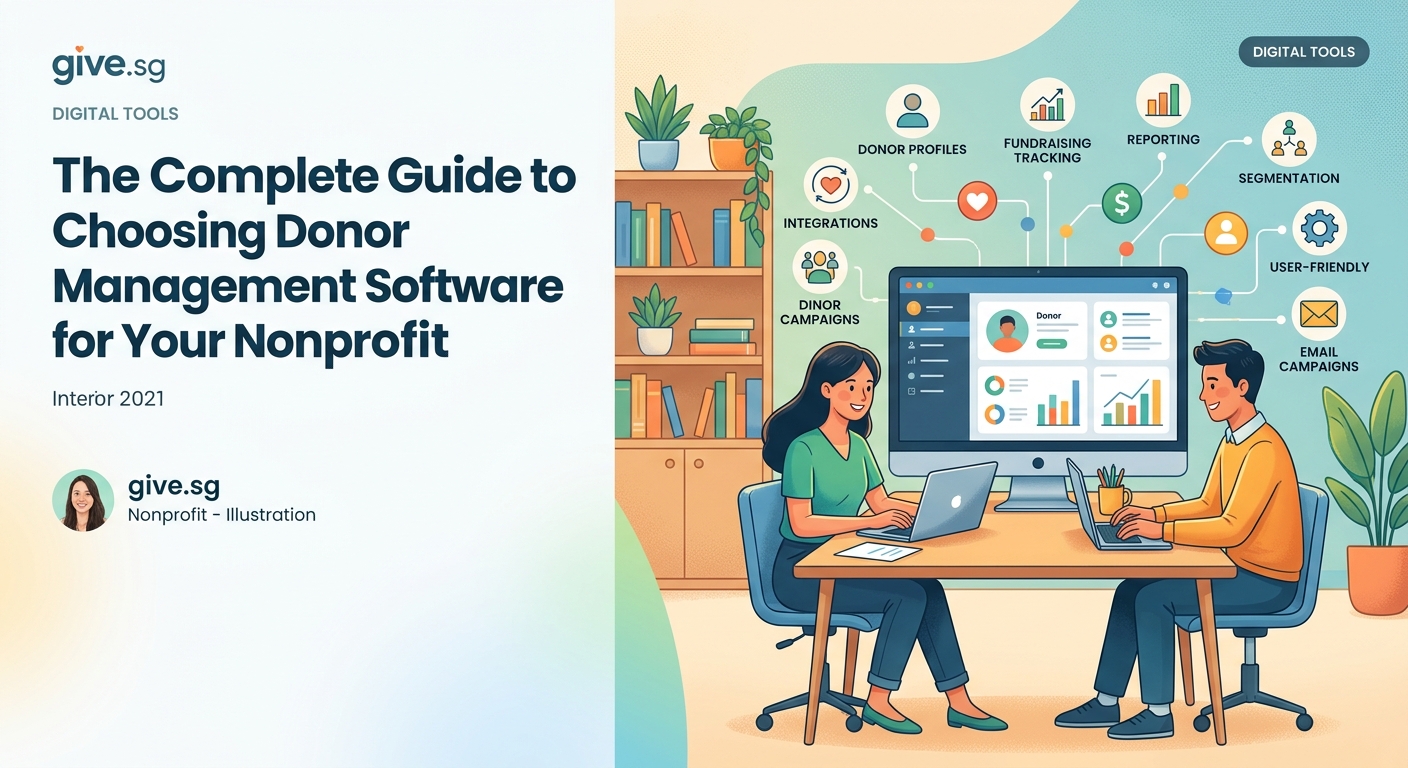
Not all donor management software for nonprofits offers the same capabilities. Some focus on basic contact management while others provide sophisticated analytics and multi-channel communication tools. Here are the features that make the biggest difference for most organizations.
Centralized donor database
Your system should store donor contact information, giving history, communication preferences, and custom fields that matter to your mission. If you work with volunteers, look for platforms that track both financial contributions and time donated. If you run events, make sure the database links ticket purchases to donor profiles.
Automated receipting and acknowledgment
Manual thank you letters take hours. Automated acknowledgment emails go out instantly and can include personalized details like the donor’s name, gift amount, and the specific program they supported. The best systems let you create templates for different donor segments so major supporters receive different messages than first-time contributors.
Integrated payment processing
Your software should accept online donations directly or integrate seamlessly with payment processors you already use. Look for platforms that support recurring gifts, peer-to-peer fundraising pages, and mobile-friendly donation forms. The fewer steps between a donor’s decision to give and the completed transaction, the higher your conversion rate.
Segmentation and filtering
You need to group donors by criteria like giving level, location, interests, or engagement frequency. Strong segmentation tools let you create targeted campaigns that speak to specific audiences. A lapsed donor campaign looks different from a major gift solicitation, and your software should make it easy to send the right message to the right people.
Reporting and analytics
Basic reports show total revenue, donor retention rates, and gift distribution. Advanced analytics predict which donors are likely to give again, identify trends over time, and measure campaign performance. Choose software that generates the reports you actually need without requiring a data science degree to interpret them.
How to evaluate your options
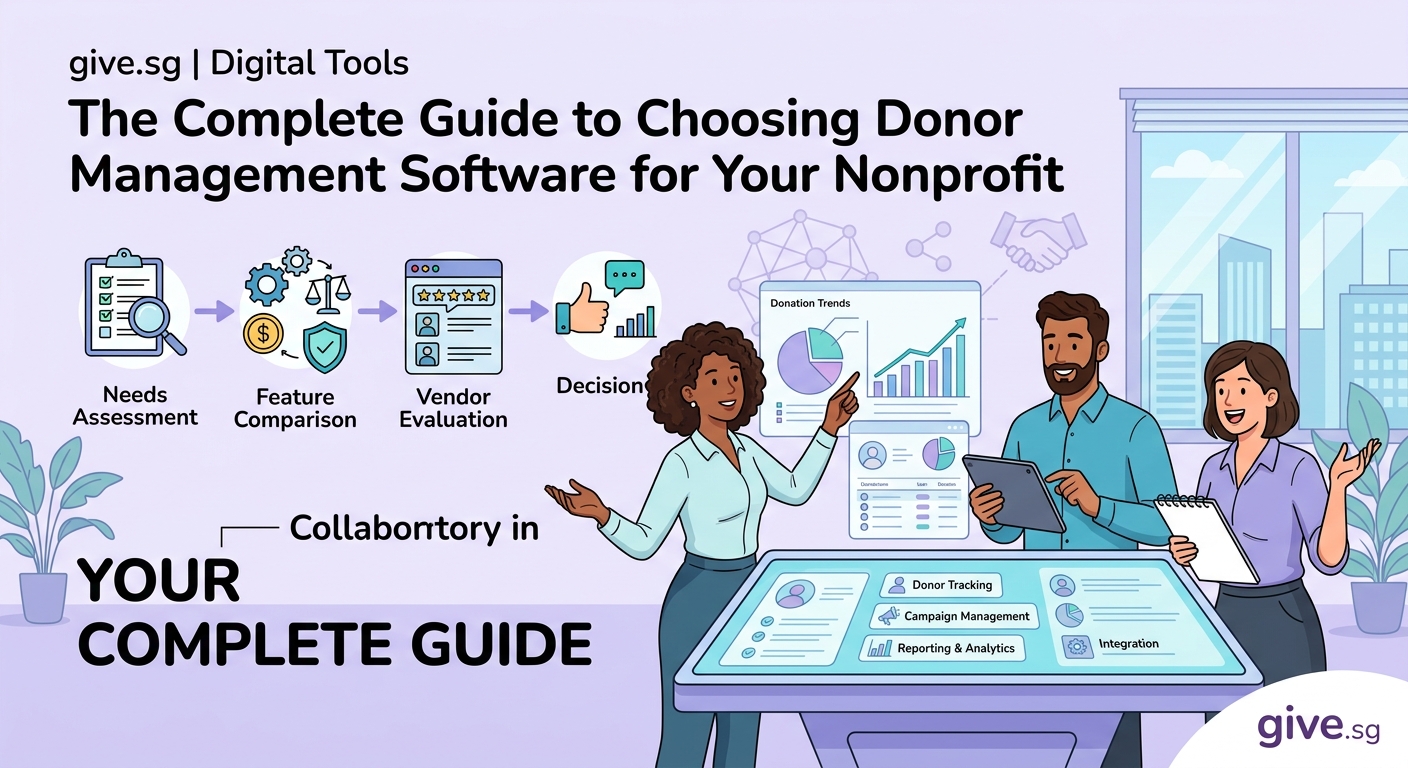
Choosing donor management software for nonprofits feels overwhelming when dozens of vendors promise similar features. A structured evaluation process helps you compare platforms objectively and avoid buyer’s remorse.
-
Define your requirements before you look at demos. Write down the specific problems you need to solve. Do you struggle with duplicate records? Does it take too long to generate reports? Are donors complaining about delayed receipts? List your must-have features and nice-to-have features separately.
-
Include team members from different departments. Your development director cares about fundraising analytics. Your finance manager needs accurate reconciliation tools. Your executive director wants high-level dashboards. Your program staff may want to track participant engagement. Get input from everyone who will use the system or rely on its data.
-
Test the software with real scenarios. Most vendors offer free trials or demos. Don’t just watch a sales presentation. Ask to import a sample of your actual donor data and perform tasks you do every day. Can you easily find a specific donor? How many clicks does it take to record a gift? Can you build the reports you need?
-
Check integration capabilities. Your donor management software should connect with tools you already use. If you send email newsletters through Mailchimp, run events on Eventbrite, or manage finances in QuickBooks, make sure the platform integrates smoothly. Manual data entry between systems wastes time and introduces errors.
-
Read reviews from similar organizations. A platform that works beautifully for a large hospital foundation might frustrate a small animal rescue. Look for reviews from nonprofits with similar budgets, staff sizes, and missions. Pay attention to complaints about customer support, hidden fees, and implementation challenges.
-
Calculate the total cost of ownership. Monthly subscription fees are just the beginning. Factor in setup costs, data migration, training, payment processing fees, and charges for additional users or features. Some vendors lock essential capabilities behind expensive upgrades. Ask for a complete pricing breakdown before you commit.
Common mistakes that derail implementation
Even great software fails if you implement it poorly. These mistakes trip up nonprofits more often than technical limitations.
| Mistake | Why It Happens | How to Avoid It |
|---|---|---|
| Skipping data cleanup before migration | Teams assume the new system will fix messy data automatically | Deduplicate records, standardize formats, and remove outdated contacts before importing |
| Choosing software based on features you’ll never use | Impressive demos showcase advanced tools that don’t match your workflow | Focus on features you’ll use weekly, not capabilities that sound interesting |
| Underestimating training time | Staff expect the software to be intuitive without instruction | Schedule dedicated training sessions and create reference guides for common tasks |
| Ignoring user adoption | Leadership picks software without input from people who will use it daily | Involve end users early and address their concerns before making a final decision |
| Neglecting data security | Small nonprofits assume they’re not targets for breaches | Verify that vendors use encryption, regular backups, and compliance certifications |
“The best donor management software for nonprofits is the one your team actually uses. A simple system that everyone adopts beats a powerful platform that sits idle because it’s too complicated.” — Development Director at a mid-sized education nonprofit
Budget considerations for different organization sizes
Small nonprofits with fewer than 500 donors often succeed with entry-level platforms that cost between $30 and $100 per month. These systems handle basic donor tracking, automated receipts, and simple reporting. They may limit the number of user accounts or stored contacts, but they provide enough functionality to graduate from spreadsheets.
Mid-sized organizations managing 500 to 5,000 donors typically need more robust platforms that cost $100 to $500 monthly. These systems support multiple users, advanced segmentation, custom fields, and integration with email marketing and accounting software. They often include better customer support and training resources.
Large nonprofits with complex fundraising programs may invest $500 to several thousand dollars monthly in enterprise solutions. These platforms offer sophisticated analytics, wealth screening, grant management, and dedicated account managers. They scale to handle tens of thousands of donor records and support large teams across multiple locations.
Don’t assume you need the most expensive option. Many organizations overpay for features they never use. Start with a platform that meets your current needs and can grow with you. Most vendors make it relatively easy to upgrade as your donor base expands.
Questions to ask during vendor demos
Sales presentations highlight strengths and gloss over limitations. Ask these specific questions to get honest answers about what the software can and can’t do.
- How long does typical implementation take from contract signing to full operation?
- What data fields can I customize to match our specific tracking needs?
- Can I export my complete database if I decide to switch providers later?
- What happens if I exceed my donor or user limits mid-year?
- How often do you release updates, and will they disrupt our workflow?
- What training resources do you provide beyond the initial setup?
- Can I see examples of reports from organizations similar to ours?
- How do you handle data backup and disaster recovery?
- What level of customer support is included in the base price?
- Are there additional fees for payment processing, text messaging, or API access?
Pay attention to how vendors respond to difficult questions. If they dodge concerns or promise features “coming soon,” consider that a red flag. You want a partner who’s honest about limitations and committed to helping you succeed.
Making the transition smooth
Switching to new donor management software for nonprofits disrupts your routine temporarily. These strategies minimize headaches during the transition.
Start by cleaning your existing data. Remove duplicate records, correct misspelled names, standardize address formats, and delete outdated contacts. The cleaner your data going in, the more useful your new system will be from day one.
Run both systems in parallel for at least two weeks. Record new donations in your old system and your new platform simultaneously. This overlap helps you catch migration errors and gives your team time to learn the new interface without risking lost data.
Assign a project champion who owns the implementation. This person coordinates with the vendor, troubleshoots problems, trains colleagues, and advocates for the team’s needs. Implementation fails when everyone assumes someone else is handling it.
Create simple documentation for common tasks. Write step-by-step instructions for recording donations, running reports, and updating donor records. Your team will refer to these guides constantly during the first few months.
Schedule regular check-ins after launch. Meet weekly at first, then monthly, to discuss what’s working and what needs adjustment. Most platforms allow significant customization, but you won’t know what to tweak until you’ve used the system in real fundraising situations.
Signs you’ve chosen the right platform
You know your donor management software for nonprofits is working when specific things start happening without extra effort.
Thank you emails go out within minutes of receiving donations. Donors comment on how quickly they receive acknowledgment and how personalized the messages feel.
Your team stops asking “where can I find this information?” Everyone knows how to access donor records, pull reports, and update contact details without constantly interrupting colleagues.
Reports that used to take hours now take minutes. You can answer board questions about fundraising performance on the spot instead of promising to send data later.
Donor retention improves because you notice patterns you missed before. The software flags lapsed donors, identifies giving trends, and helps you reach out at optimal times.
Staff members from different departments access the same accurate data. Finance reconciles donations easily. Program teams see which participants are also donors. Leadership gets real-time dashboards without requesting custom reports.
Getting your team on board
Technology only works when people use it consistently. If your team resists the new system, your investment won’t pay off.
Involve staff in the selection process from the beginning. Let them test platforms and share opinions. People support decisions they help make.
Highlight specific pain points the new software solves. Show how it eliminates the frustrating parts of their current workflow. Connect features to problems they complain about regularly.
Celebrate early wins publicly. When someone successfully runs their first report or notices the automated thank you emails working perfectly, acknowledge it in team meetings. Positive reinforcement builds momentum.
Address concerns honestly. If team members worry the new system is too complicated, provide extra training. If they’re attached to the old way of doing things, acknowledge that change is hard while explaining why it’s necessary.
Give people time to adjust. Expect productivity to dip slightly during the first month as everyone learns new processes. Don’t judge the software’s success based on week one performance.
Building stronger relationships through better data
The real value of donor management software for nonprofits isn’t efficiency or automation. Those matter, but they’re means to an end. The goal is building deeper relationships with the people who make your mission possible.
Good software helps you remember details that make donors feel seen. You know it’s been two years since their first gift. You notice they always give in December. You see they attended your volunteer orientation but haven’t signed up for a shift yet.
These insights let you personalize outreach in ways that feel genuine rather than algorithmic. You’re not sending mass emails. You’re having conversations informed by history and context.
Your donors notice the difference. They stop feeling like entries in a database and start feeling like valued partners. They give more consistently. They respond to your emails. They tell friends about your organization.
That’s what happens when you choose donor management software for nonprofits that matches how you work and helps you focus on what matters most: the human beings who believe in your cause enough to support it.
Your next step forward
You don’t need perfect information to make a good decision about donor management software for nonprofits. You need clarity about your current challenges, honest conversations with your team, and willingness to test options thoroughly before committing.
Start by documenting the specific problems you’re trying to solve. Talk to everyone who will use the system. Request demos from three to five vendors that serve organizations like yours. Test the software with real tasks. Ask hard questions about pricing and limitations.
Choose the platform that solves your biggest pain points without overwhelming your team with complexity. Remember that you can always upgrade later as your needs evolve. The important thing is moving forward from wherever you are now.
Your donors deserve better than delayed thank you notes and forgotten follow-up. Your team deserves tools that help rather than hinder their work. The right software makes both possible.