 By chloe
Virtual volunteer events can feel like shouting into the void. Your screen fills with tiny boxes, half the participants forget to unmute, and you wonder if anyone’s actually paying attention or just checking email in another tab.
But when done right, online volunteering brings people together across cities, countries, and time zones in ways that would be impossible in person. The secret isn’t fancy technology or a big budget. It’s about creating genuine connection and meaningful work, even through a screen.
Hosting effective virtual volunteer events requires clear goals, the right platform, structured activities, and consistent follow-up. Focus on creating meaningful tasks that volunteers can complete remotely, use interactive elements to maintain engagement, and build community through regular communication. Success comes from treating online events as unique experiences, not just digital versions of in-person gatherings.
Start with a clear purpose and specific outcomes
Before you send a single calendar invite, get crystal clear on what you’re trying to accomplish. “We need more volunteers” isn’t a goal. It’s a wish.
Define what success looks like in concrete terms. Are you trying to package 500 care kits? Write 100 letters to seniors? Create social media content for the next quarter? The more specific you can be, the easier it becomes to design an event that actually works.
Think about your volunteers too. What will they gain from participating? Recognition? New skills? A sense of belonging? People show up when they understand both the impact they’ll make and what’s in it for them.
Write down three things:
- The tangible outcome you need to achieve
- The volunteer experience you want to create
- How you’ll measure whether the event succeeded
These three elements will guide every decision you make from here forward.
Choose the right type of virtual volunteer activity
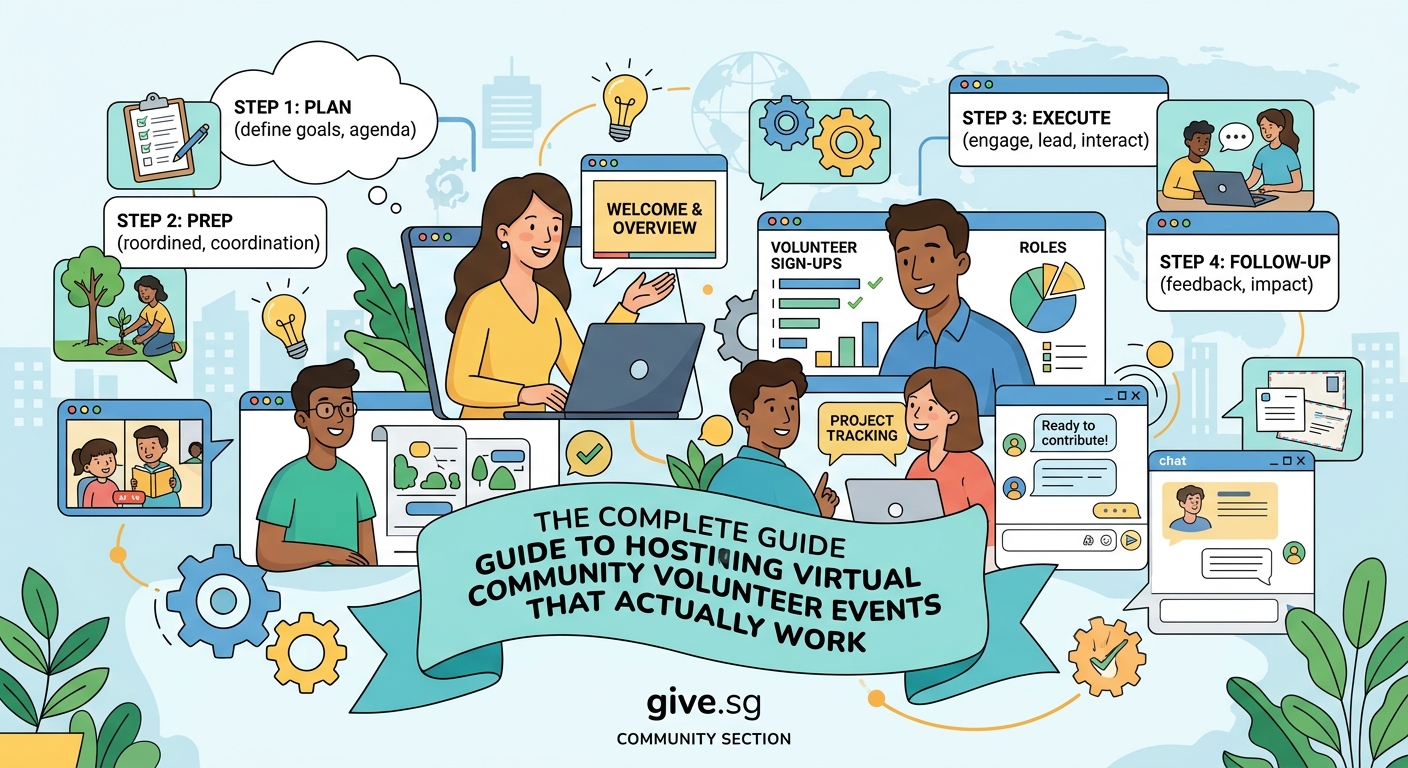
Not every volunteer task translates well to a screen. Painting a community center or serving meals at a food bank requires physical presence. But hundreds of meaningful activities work beautifully online.
Skills-based volunteering shines in virtual settings. Volunteers can offer professional expertise like graphic design, writing, marketing strategy, or financial planning. A designer in Singapore can create materials for a nonprofit in Seattle without ever boarding a plane.
Administrative support is another natural fit. Data entry, research, email management, database cleanup, and social media scheduling can all happen remotely. These tasks might not sound glamorous, but they free up your staff to focus on mission-critical work.
Creative projects bring people together around shared output. Volunteers might write cards to hospital patients, create digital art for awareness campaigns, or record video messages for program participants. The key is making sure each person’s contribution matters and connects to the larger goal.
Here are proven virtual volunteer activities by category:
| Category | Activity Examples | Best For |
|---|---|---|
| Skills-based | Website design, grant writing, strategic consulting | Professionals with specialized expertise |
| Administrative | Data entry, research, email management | Detail-oriented volunteers with flexible schedules |
| Creative | Card writing, digital art, video messages | People who enjoy personal expression |
| Mentorship | Career coaching, tutoring, peer support | Volunteers seeking ongoing relationships |
| Advocacy | Social media campaigns, petition drives, letter writing | Activists and community organizers |
Pick a platform that matches your needs, not your budget
The fanciest video conferencing tool won’t save a poorly planned event. Start with what you need, then find technology that delivers it.
For simple gatherings under 25 people, basic video platforms work fine. You need reliable audio, video that doesn’t freeze, and screen sharing. Most free options cover these basics.
Larger events need breakout rooms, polls, and chat moderation. Look for platforms that let you split people into smaller groups for focused work, then bring everyone back together. This matters more than you’d think. A hundred people on one video call creates chaos. Ten groups of ten people creates community.
Consider what happens before and after the event too. Can volunteers access materials easily? Is there a way for them to ask questions or submit work? Sometimes the best solution combines a video platform with a shared document workspace or project management tool.
Test everything at least 48 hours before your event. Have a friend join from a different device and internet connection. Check audio quality, screen sharing, and any interactive features you plan to use. Technical problems during the event destroy engagement faster than anything else.
- Choose platforms with reliable customer support
- Prioritize ease of use over fancy features
- Make sure mobile access works if volunteers might join from phones
- Check accessibility features like closed captioning and screen reader compatibility
- Have a backup plan if your primary platform fails
Design an agenda that respects online attention spans
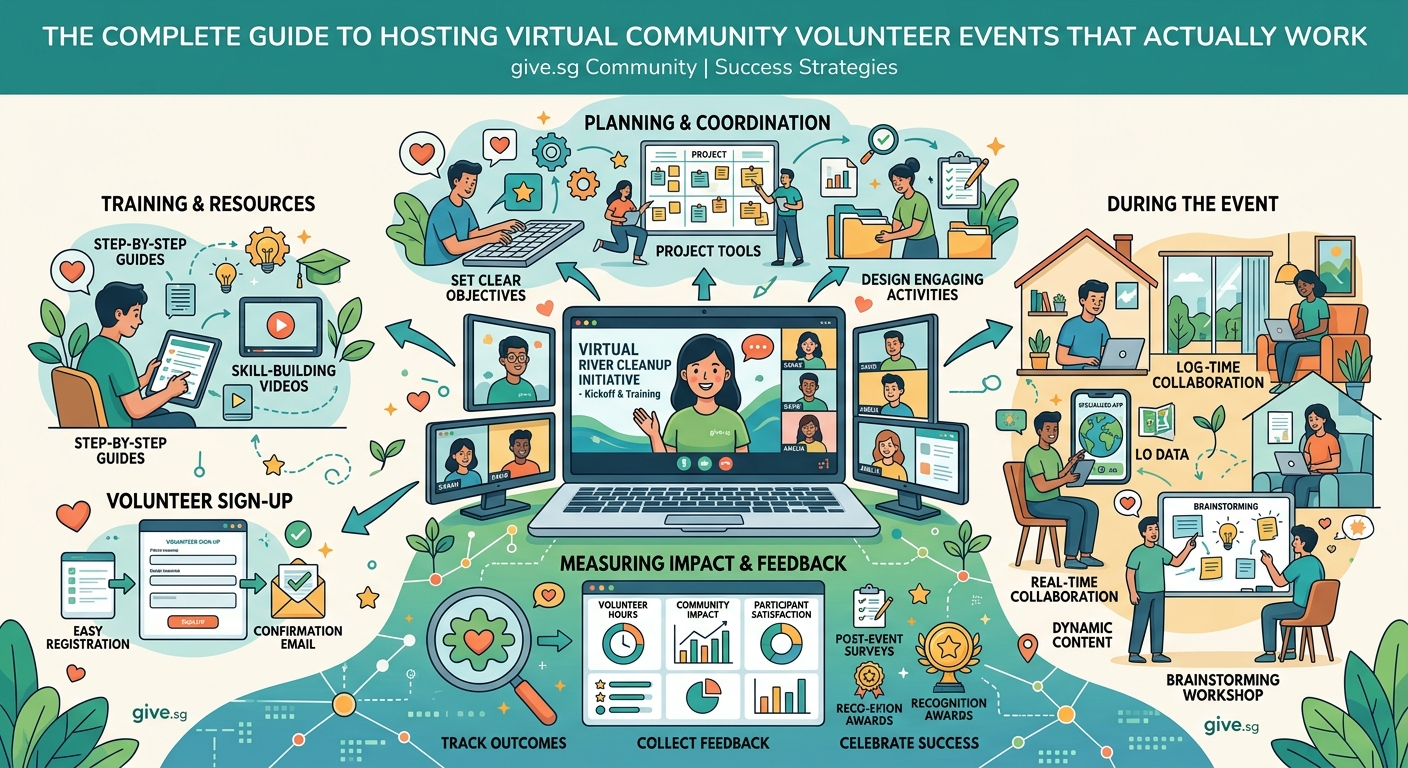
In-person events can run for hours. Virtual events can’t. Screen fatigue is real, and people’s attention drops fast when they’re staring at a computer.
Plan for 90 minutes maximum, and build in breaks every 30 minutes. Even a two-minute pause to stand up, stretch, or grab water makes a difference. Tell people exactly when breaks will happen so they can plan accordingly.
Structure your time intentionally. Start with 10 minutes of welcome and orientation. People need to understand what’s happening, what’s expected of them, and how to get help if they’re confused. Don’t assume everyone read the pre-event email.
Spend the bulk of your time on actual volunteering work. This seems obvious, but too many events fill the agenda with presentations and speeches while the meaningful activity gets squeezed into the final 20 minutes. Flip that ratio. Brief intro, long work session, short wrap-up.
End with recognition and next steps. Thank people specifically for what they accomplished. Share preliminary results if you can. Give them a clear path to stay involved, whether that’s signing up for the next event or joining an ongoing program.
“The biggest mistake I see is treating virtual events like webinars. People didn’t show up to watch you talk. They came to do something meaningful. Give them work that matters, tools to complete it, and just enough structure to feel supported without being micromanaged.” – Community engagement director at a youth development nonprofit
Communicate clearly and often before the event
Send your first message as soon as someone registers. Confirm their spot, share the date and time in their time zone, and tell them what to expect. This isn’t the place for lengthy details. Just hit the essentials.
One week before the event, send a detailed preparation email. Include the video link, any materials they need to download, technical requirements, and a clear agenda. Tell them what to do if they have problems joining or need to cancel.
The day before, send a friendly reminder with the essentials again: time, link, and one sentence about what they’ll be doing. People are busy. They need these nudges.
An hour before the event, send one final message. Just the link and start time. Make it easy to find in their inbox.
Between registration and the event, create opportunities for volunteers to connect with each other if possible. A simple discussion thread or welcome message board helps people feel part of a community before they ever join the video call.
Create meaningful interaction throughout the event
Nothing kills engagement faster than passive participation. If volunteers could accomplish the same thing by watching a recording, why did they need to show up live?
Use breakout rooms strategically. Small groups of three to five people create space for actual conversation. Assign a simple task or discussion prompt, give them 10 minutes, then bring everyone back to share highlights. This works whether you have 15 volunteers or 150.
Incorporate interactive elements every few minutes. Polls, chat responses, reactions, shared documents where everyone contributes simultaneously. These small interactions keep people present and engaged.
Give people real work to do during the event, not just busy work. If you’re writing cards, have them actually write cards. If you’re providing feedback on program materials, show them the real materials and collect their real input. Volunteers can tell the difference between meaningful contribution and performance.
Call on people by name when appropriate. “Sarah, what did your group discuss?” feels more personal than “Can someone share?” But don’t put anyone on the spot unexpectedly. Give people a heads up that you’ll be asking them to share.
Train volunteer leaders and moderators properly
You can’t run a virtual event alone, especially once you get beyond 20 participants. You need people managing chat, troubleshooting technical issues, facilitating breakout rooms, and keeping things on schedule.
Recruit co-hosts at least two weeks before your event. Look for volunteers who’ve participated in previous events, show strong communication skills, and feel comfortable with technology. You need people who can think on their feet when something goes wrong.
Hold a practice session with your team. Walk through the entire agenda, assign specific roles, and practice using all the platform features. Decide who’s monitoring chat, who’s managing breakout rooms, who’s handling tech support questions, and who’s keeping time.
Create a private back-channel for your team during the event. A separate chat or messaging app lets you coordinate without volunteers seeing behind-the-curtain conversations. “We need to speed up this section” or “Someone in breakout room 3 needs help” shouldn’t be public messages.
Empower your team to make decisions. If a volunteer is struggling with technology, your co-host should be able to help them immediately without checking with you first. If a breakout room finishes early, they can extend the discussion or bring people back early. Trust your team to handle the details while you focus on the overall experience.
Handle common technical challenges proactively
Technical problems will happen. Accept this now and plan accordingly.
Create a simple troubleshooting guide and send it with your pre-event emails. Cover the most common issues: audio not working, video frozen, can’t see screen share, accidentally left the meeting. Include screenshots and step-by-step fixes. Most people can solve their own problems if you give them clear instructions.
Have someone dedicated to technical support during the event. This person isn’t facilitating or presenting. They’re watching chat for help requests and sending private messages to people who seem stuck. They might even call someone on the phone if needed.
Start your event 15 minutes early and tell people they can join anytime during that window. This gives latecomers a buffer and lets your tech support person help anyone struggling to connect before the main event starts.
Record a backup video explaining the volunteer task. If someone loses connection or has persistent audio problems, they can watch the recording and still participate in the work portion of the event.
Follow up within 24 hours while energy is high
The event doesn’t end when people log off. Your follow-up determines whether volunteers come back or disappear forever.
Send a thank-you email within 24 hours. Include specific details about what the group accomplished together. “We wrote 347 cards to seniors in long-term care facilities” hits different than “Thanks for volunteering.” Attach photos if you have them, or create a simple graphic showing the impact.
Share next steps clearly. When’s the next event? How can they stay involved between events? Is there a community space where volunteers connect? Make it easy to say yes to continued engagement.
Ask for feedback while the experience is fresh. A short survey with three to five questions gives you valuable insights for improving future events. Keep it brief and focus on what matters: What worked well? What would make the experience better? Would you recommend this to a friend?
Recognize outstanding contributors publicly if appropriate. Some people thrive on recognition. Others prefer to contribute quietly. Know your community and celebrate people in ways that feel good to them.
Build community beyond individual events
One-off events are fine, but recurring programs create lasting impact and deeper relationships. Think about how virtual volunteering can become an ongoing part of your organization’s culture.
Create a calendar of regular opportunities. Monthly card-writing sessions, weekly tutoring hours, quarterly strategy workshops. Consistency helps volunteers plan ahead and builds anticipation.
Develop a progression path for engaged volunteers. Someone who joins their first event might become a breakout room facilitator at their third, then help plan future events. Give people ways to deepen their involvement over time.
Use technology to maintain connection between events. A Slack channel, Facebook group, or email list keeps volunteers engaged with your mission even when they’re not actively participating in an event. Share updates, celebrate wins, and create space for volunteers to connect with each other.
Consider hybrid models that combine virtual and in-person elements. Maybe volunteers meet online monthly but gather in person once a year. Or local volunteers meet in small groups while connecting with a larger virtual community. Flexibility matters more than rigid adherence to one format.
Measure what matters and adjust accordingly
You need data to improve, but don’t drown in metrics that don’t matter. Focus on measurements that tell you whether you’re achieving your goals and creating good experiences.
Track basic participation numbers: registrations, attendance, completion rates. If 100 people register but only 30 show up, that’s valuable information. If 30 show up but only 15 complete the volunteer task, that’s different information requiring different solutions.
Measure volunteer satisfaction through post-event surveys. Net Promoter Score works well here. “How likely are you to recommend this event to a friend?” gives you a single number that’s easy to track over time.
Monitor retention and repeat participation. Are the same people coming back or do you need to recruit new volunteers for every event? High retention suggests you’re creating good experiences. Low retention means something needs to change.
Look at impact metrics specific to your activities. Cards written, hours of tutoring provided, dollars raised, social media impressions generated. Connect volunteer effort to organizational outcomes whenever possible.
Common mistakes and how to avoid them
Even experienced coordinators fall into predictable traps when hosting virtual volunteer events. Here’s what to watch out for:
| Mistake | Why It Happens | How to Fix It |
|---|---|---|
| Overloading the agenda | Trying to maximize volunteer time | Cut content by 30%, add buffer time |
| Ignoring time zones | Assuming everyone’s local | Poll volunteers, rotate times, or offer multiple sessions |
| Poor audio quality | Using laptop microphones in echo-prone rooms | Invest in a decent microphone, test in advance |
| No clear instructions | Assuming volunteers understand the task | Create step-by-step guides, show examples |
| Weak facilitation | Letting awkward silence stretch too long | Prepare discussion prompts, call on people by name |
| Forgetting about accessibility | Not considering diverse needs | Add captions, share materials in advance, offer alternatives |
Making virtual volunteering work for your organization
Virtual volunteer events aren’t just a temporary solution until in-person gatherings return. They’re a powerful way to engage people who might never walk through your physical doors.
Start small if you’re new to this. Host a 60-minute event with 10 volunteers doing something simple. Learn what works, fix what doesn’t, then scale up. You don’t need to launch with a massive program.
Invest time in planning and preparation. The events that look effortless required hours of behind-the-scenes work. But that work pays off in smooth execution and happy volunteers.
Listen to your volunteers and adapt. They’ll tell you what’s working and what needs to change. The best programs evolve based on participant feedback, not rigid adherence to the original plan.
Remember that technology is a tool, not the point. You’re not hosting virtual events because screens are exciting. You’re using technology to connect people with meaningful work and each other. Keep that focus clear and everything else falls into place.
The volunteers are already out there, ready to contribute their time and skills to causes they care about. Your job is creating the structure and support that lets them make a difference, even from behind a screen.