 By chloe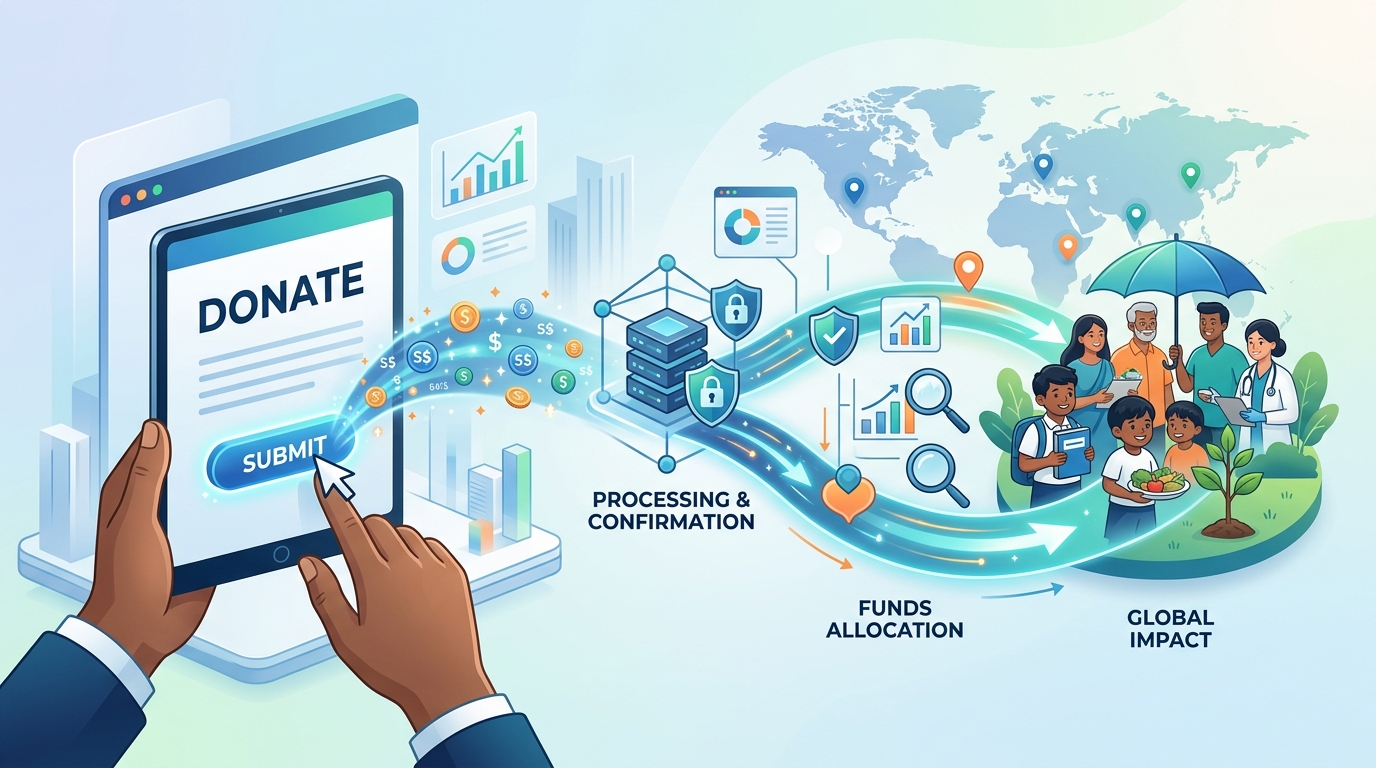
You click submit on a donation form, and the screen confirms your gift. That moment feels final, like closing a book. But your donation is just beginning a journey that involves payment processors, bank accounts, nonprofit teams, and eventually, the people or causes you want to help.
Most donors never see what happens behind that confirmation screen. They trust the system works, but transparency matters. Understanding the full process helps you make smarter giving decisions, spot potential issues, and feel confident your money reaches its destination.
After you donate online, your payment travels through a payment processor, gets verified by your bank, moves to a merchant account, then lands in the nonprofit’s bank account. The organization receives notification, sends you a receipt, records your gift, and allocates funds to programs. This entire process typically takes two to five business days, though you’ll see confirmation instantly.
The instant moment after you click submit
Your browser sends encrypted data to the donation platform. This happens in milliseconds. The platform captures your payment information, donation amount, and any message you included.
The system immediately performs basic checks. Does the email address look valid? Did you fill in required fields? Is the donation amount within acceptable ranges?
If everything passes, you see a confirmation screen. This doesn’t mean your money has moved yet. It means the platform accepted your submission and started processing.
Many donors assume confirmation equals completion. Not true. The real work is just starting.
Your payment enters the processing pipeline
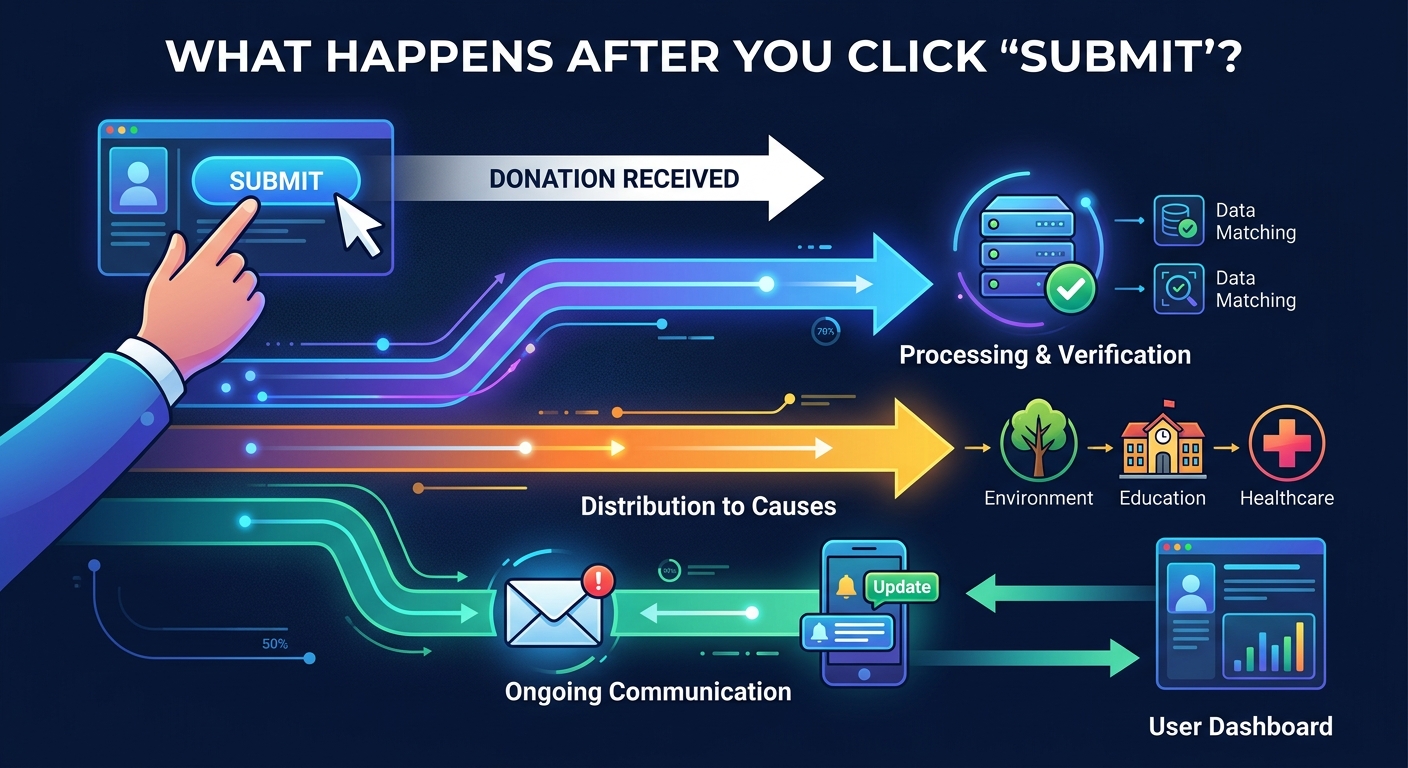
Payment processors act as middlemen between you and the nonprofit. Companies like Stripe, PayPal, or specialized nonprofit processors handle this stage.
The processor contacts your bank or credit card company. They ask a simple question: does this account have funds, and will you authorize this charge?
Your bank runs fraud checks. They look at your spending patterns, account balance, and transaction history. Unusual activity triggers holds or declines.
This verification happens fast, usually in seconds. But timing varies based on your bank, the processor, and whether it’s a weekend or holiday.
Three types of payment methods work differently
Credit cards process almost instantly. The charge appears as pending on your statement within hours. The nonprofit doesn’t receive funds yet, but they know the transaction succeeded.
Bank transfers take longer. ACH payments can require three to five business days. Your bank needs to communicate with the nonprofit’s bank through the ACH network.
Digital wallets like PayPal or Venmo sit somewhere in between. They process fast but may hold funds temporarily based on their own risk assessment.
Here’s how these methods compare:
| Payment Method | Processing Speed | Fees to Nonprofit | Reversal Risk |
|---|---|---|---|
| Credit Card | 1-3 business days | 2-3% plus fixed fee | Chargebacks possible |
| Bank Transfer | 3-5 business days | Lower, often under 1% | Rare after clearing |
| Digital Wallet | 1-2 business days | Varies by platform | Platform-dependent |
| Cryptocurrency | Varies widely | Transaction fees apply | Irreversible once confirmed |
Money moves to the merchant account
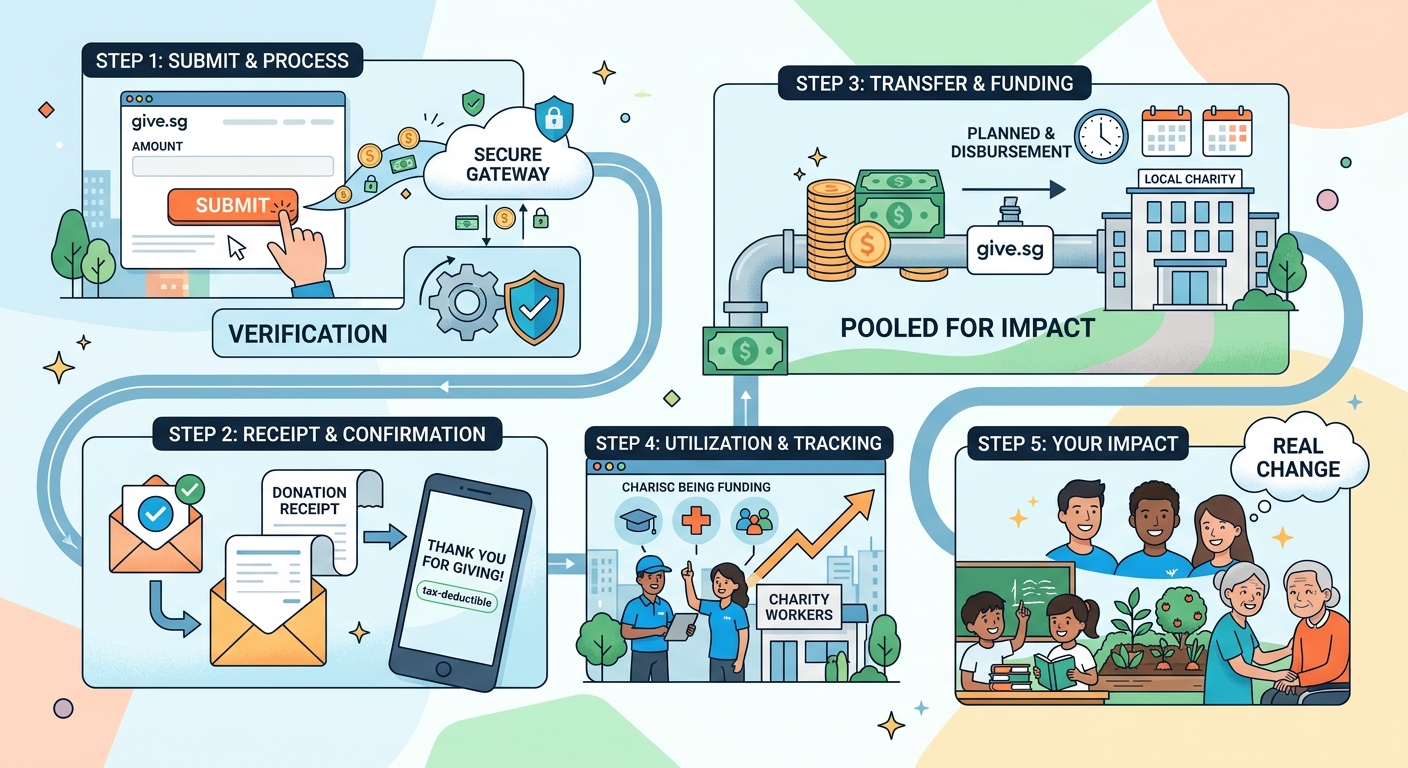
After your bank approves the transaction, funds enter a merchant account. Think of this as a holding area between the payment processor and the nonprofit’s regular bank account.
Merchant accounts exist for security and regulatory reasons. They protect both donors and organizations from fraud. They also batch multiple donations together for efficiency.
The processor typically holds funds here for 24 to 72 hours. They’re checking for disputes, ensuring the transaction is legitimate, and preparing the transfer.
New nonprofits or those with limited transaction history may experience longer holds. Processors assess risk and adjust timing accordingly.
The nonprofit’s bank receives your donation
The processor transfers funds from the merchant account to the nonprofit’s operating account. This happens through standard bank transfers.
The organization sees a deposit that may include multiple donations batched together. Larger nonprofits might receive thousands of individual gifts in a single transfer.
Processing fees get deducted before or during this transfer. If you donated $100, the nonprofit might receive $97 after a 3% fee. Some platforms let donors cover fees, ensuring the full amount reaches the cause.
“Donors often don’t realize that payment processing isn’t free. Every online transaction costs money. The most transparent nonprofits clearly communicate these costs and give donors the option to help cover them.” – Nonprofit finance expert
Your donation gets recorded and acknowledged
Once funds arrive, the nonprofit’s system logs your gift. Development teams or automated systems match the payment to your donor record.
If you’re a first-time donor, they create a new profile. Returning donors get their history updated. This data helps organizations understand giving patterns and plan future outreach.
You receive a tax receipt, usually by email. U.S. nonprofits must provide receipts for donations over $250, but most send them for every gift regardless of size.
The receipt includes:
- Organization’s legal name and tax ID number
- Donation amount and date
- Statement that no goods or services were received (if applicable)
- Your contact information
Keep these receipts. You’ll need them for tax deductions.
Behind the scenes allocation decisions happen
Your donation doesn’t sit in the bank account indefinitely. Nonprofits allocate funds based on your designation and their budget.
If you specified a program or campaign, finance teams tag your gift accordingly. Unrestricted donations give organizations flexibility to use funds where needed most.
Budget cycles matter here. Some nonprofits operate on fiscal years that don’t match calendar years. Your December donation might get allocated in the next fiscal period.
Restricted gifts sometimes create challenges. If you donate for a specific project that’s already fully funded, the organization may contact you about redirecting the gift or return it.
The actual impact timeline varies significantly
This is where donor expectations and reality often clash. Receiving your money and spending it are different things.
Small, immediate needs get funded fast. A food bank might purchase groceries within days of receiving donations. They have ongoing expenses and can act immediately.
Larger projects take time. Building a school, funding research, or supporting long-term programs means your donation becomes part of a larger funding pool. Impact might take months or years.
Grant-funded programs work differently. Your donation might help the nonprofit meet matching requirements, unlocking larger institutional grants. The multiplier effect means your $100 could help secure $1,000 in additional funding.
Common issues that delay or complicate the process
Payment failures happen more than you’d think. Expired cards, insufficient funds, or bank security blocks cause transactions to fail after initial confirmation.
Nonprofits usually attempt to contact you if a payment fails. Some platforms retry the charge automatically. Others require you to resubmit.
Fraud prevention sometimes catches legitimate donations. Large gifts from new donors trigger extra scrutiny. International donations face additional verification.
Name mismatches create problems. If your credit card name doesn’t match the name on the donation form, processors may flag it. Use consistent information across all fields.
What you can do to ensure smooth processing
Use a reliable payment method. Cards that expire soon or accounts with low balances increase failure risk.
Provide accurate contact information. Organizations need to reach you for receipts, updates, and if problems arise.
Check your email after donating. Confirmation emails contain important information and sometimes require action if issues occur.
Monitor your bank statement. Verify the charge appears correctly within a few days. Contact the nonprofit if you see discrepancies.
Consider covering processing fees when platforms offer that option. This ensures your intended amount reaches the cause.
Recurring donations follow a different path
Monthly or annual gifts get processed repeatedly. The platform stores your payment information securely and charges your account on schedule.
These subscriptions continue until you cancel them. Nonprofits love recurring donations because they provide predictable revenue for planning.
Card updates matter more with recurring gifts. When your card expires, the nonprofit needs updated information to continue processing. Many platforms attempt to update card numbers automatically through bank relationships.
Failed recurring payments usually trigger email notifications. You’ll get a chance to update your information before the subscription cancels.
Tax implications start at submission
U.S. tax law considers donations made when you lose control of the funds. For online donations, that’s the date you submit payment, not when the nonprofit receives it.
December 31st donations count for that tax year, even if the nonprofit doesn’t receive funds until January. Your credit card statement date matters for documentation.
Donation platforms timestamp every transaction. This creates a clear record for tax purposes.
International donors face different rules. Tax deductibility depends on your country’s laws and the nonprofit’s registration status in your jurisdiction.
Transparency tools help you track your impact
Many modern nonprofits offer donor portals. Log in to see your giving history, download receipts, and track how your donations were used.
Impact reports show aggregate results. You might not see exactly where your $50 went, but you’ll see that the organization served 1,000 families with food assistance.
Some platforms provide real-time tracking. You donate to a specific project and receive updates as it progresses.
Annual reports break down finances. Look for clear explanations of how donations translate to programs versus administrative costs.
Red flags that suggest processing problems
If you don’t receive a confirmation email within an hour, something went wrong. Check your spam folder first, then contact the organization.
Charges that appear and disappear from your statement indicate authorization issues. The nonprofit might not have received the funds.
Delayed receipts beyond a few days suggest organizational inefficiency. Professional nonprofits send receipts promptly.
Vague impact reporting or reluctance to explain fund allocation should concern you. Legitimate organizations welcome questions about how they use donations.
Your role doesn’t end at submission
Following up shows you care about impact, not just the act of giving. Engaged donors help nonprofits improve and stay accountable.
Ask questions when you don’t understand something. How much of my donation goes to programs? When will this project complete? Can I see results?
Provide feedback about the donation experience. Clunky forms, confusing options, or unclear impact statements help organizations improve.
Stay connected through newsletters and social media. You’ll see your donation’s impact and learn about ongoing needs.
The human element behind the automation
Real people manage every stage, even with automated systems. Development staff monitor transactions, finance teams reconcile accounts, and program managers allocate resources.
Small nonprofits might have one person handling everything. They process donations between running programs and managing volunteers.
Large organizations have specialized teams. Gift processing, donor relations, and program funding operate as separate departments with defined workflows.
Technology handles the mechanical parts, but humans make decisions about impact, donor communication, and fund allocation.
Why understanding this process makes you a better donor
Knowledge reduces anxiety. You don’t wonder if your donation disappeared into a void.
You make smarter decisions about when and how to give. Knowing processing times helps you plan year-end tax donations.
You can spot and report problems faster. Unusual delays or missing confirmations get addressed before they become bigger issues.
You appreciate the infrastructure that makes online giving possible. Those processing fees support systems that make donating easy and secure.
From click to change
Your online donation triggers a sophisticated chain of events involving multiple institutions, security checks, and human decisions. The process balances speed with security, convenience with accountability.
Most donations flow smoothly from your account to impact within days. But understanding the journey helps you give more effectively, troubleshoot problems, and hold organizations accountable. The transparency you deserve starts with knowing what happens after you click submit.