 By chloe
Your nonprofit just received a generous donation from a long-time supporter. Along with their gift came their credit card details, home address, email, and phone number. Now multiply that by hundreds or thousands of donors. That’s a massive responsibility sitting in your database right now, and cybercriminals know it.
Nonprofits face growing cyber threats targeting donor information, but protection doesn’t require enterprise budgets. Focus on multi-factor authentication, staff training, data encryption, regular backups, and vendor security checks. Small, consistent security practices build supporter trust and prevent devastating breaches that damage both finances and reputation. Start with free tools and scale protection as resources allow.
Why Nonprofits Become Prime Targets
Hackers view nonprofits as low-hanging fruit. Your organization handles sensitive donor data but often lacks dedicated IT staff or security budgets that corporations take for granted.
The numbers tell a sobering story. Nonprofits experience data breaches at rates comparable to businesses, yet most operate with volunteer coordinators managing databases or small teams wearing multiple hats. Attackers know this.
They also know your donor files contain payment information, personal details, and giving patterns. This data sells on dark web marketplaces or gets used for identity theft and financial fraud.
But here’s the thing: you don’t need a Fortune 500 security budget to protect your supporters. You need smart priorities and consistent habits.
Understanding What You’re Actually Protecting
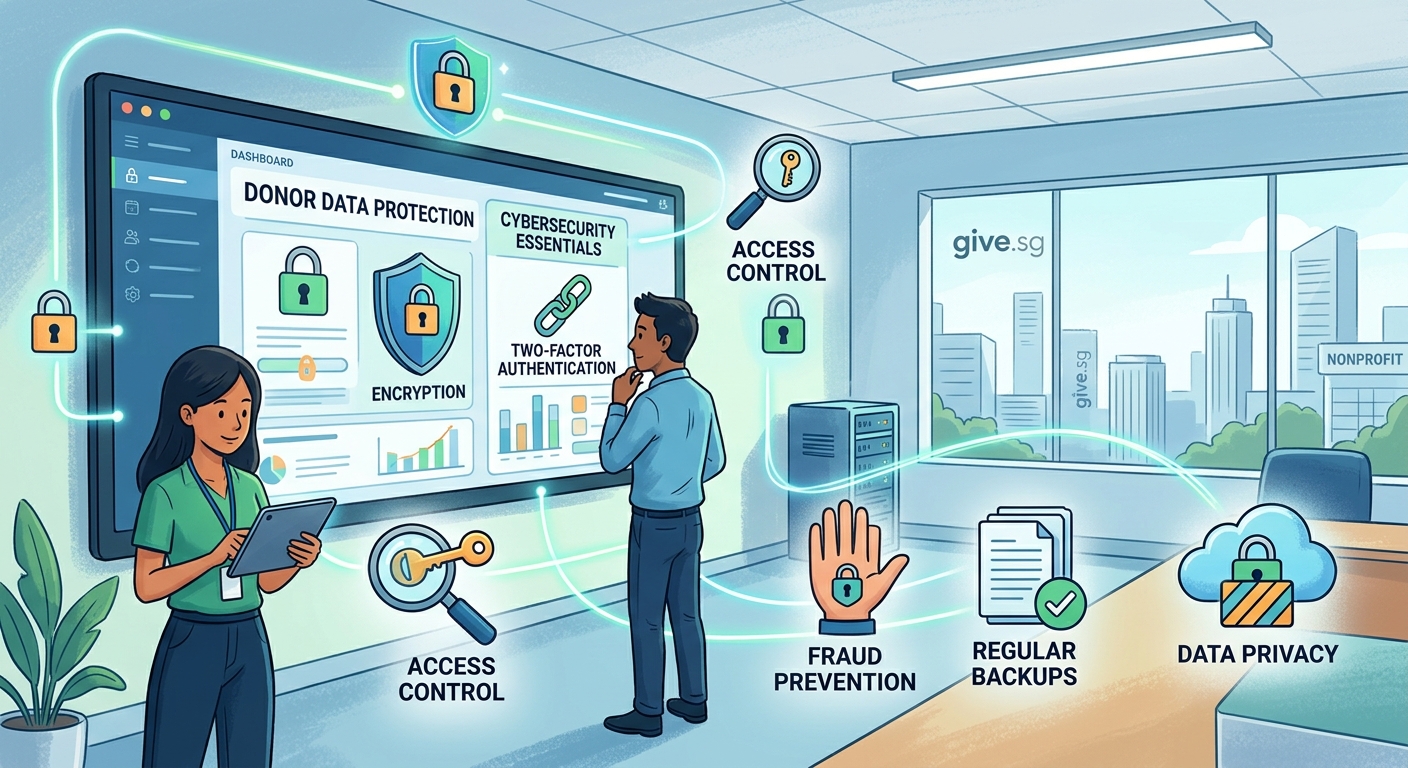
Before building defenses, map what sensitive information your nonprofit collects and stores.
Most organizations handle these data types:
- Donor names, addresses, and contact information
- Credit card numbers and bank account details
- Giving history and donation amounts
- Email correspondence and communication preferences
- Volunteer background check results
- Beneficiary information for programs and services
Each category carries different risk levels and legal requirements. Payment card data falls under PCI DSS standards. Health information triggers HIPAA rules. Personal data may require GDPR or state privacy law compliance.
Create a simple spreadsheet listing every system that touches donor information. Include your CRM, email platform, payment processor, website forms, and even that Excel file someone keeps on their laptop.
This inventory becomes your security roadmap.
Five Essential Security Practices That Cost Little or Nothing
These foundational steps protect the majority of nonprofit data without breaking your budget.
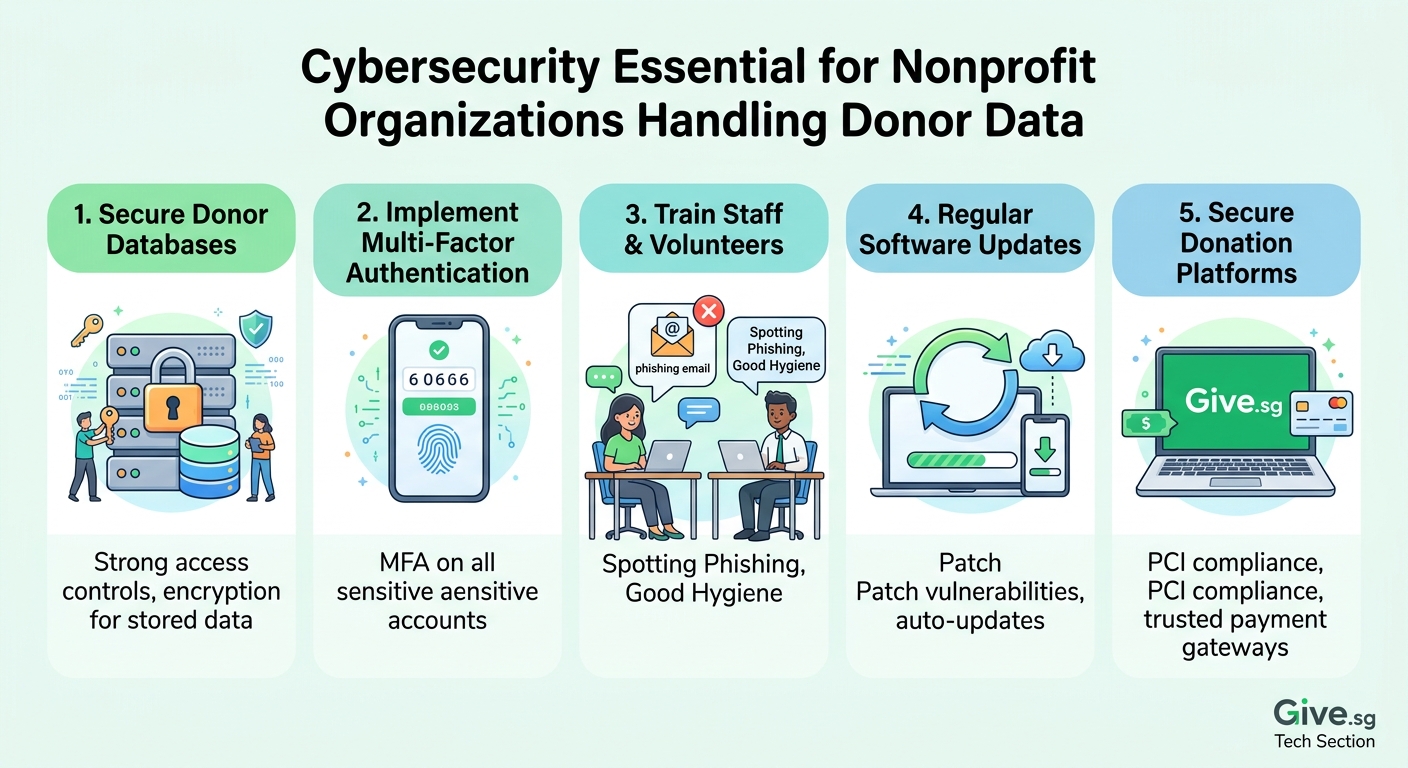
1. Turn on multi-factor authentication everywhere
Multi-factor authentication (MFA) stops over 99% of automated attacks. When someone tries logging into your donor database, they need both a password and a second verification step like a text code or authenticator app.
Enable MFA on your donation platform, email accounts, cloud storage, social media, and any system containing supporter information. Most platforms include this feature for free.
2. Train your team to spot phishing attempts
Your staff and volunteers are both your strongest defense and weakest link. Phishing emails trick people into clicking malicious links or sharing login credentials.
Run monthly training sessions using real examples. Show your team how to verify sender addresses, hover over links before clicking, and report suspicious messages. Make it safe to ask questions without judgment.
Consider sending practice phishing tests. Several free tools let you simulate attacks and track who needs additional coaching.
3. Keep software and systems updated
Outdated software contains known vulnerabilities that hackers exploit. Those update notifications aren’t annoying reminders. They’re security patches fixing discovered weaknesses.
Set systems to update automatically when possible. Create a monthly calendar reminder to manually check platforms that don’t auto-update.
This includes your website plugins, donor management software, email clients, and operating systems on all devices.
4. Encrypt sensitive data in storage and transit
Encryption scrambles data so only authorized users with the right keys can read it. If someone steals encrypted files, they can’t use the information inside.
Choose donor management platforms and payment processors that encrypt data by default. Check for “256-bit encryption” or “TLS/SSL certificates” in their security documentation.
For email containing sensitive details, use encrypted email services or password-protected attachments. Never send credit card numbers or social security numbers through regular email.
5. Back up everything regularly and test restores
Ransomware attacks lock your files and demand payment for access. Regular backups let you restore systems without paying criminals.
Follow the 3-2-1 backup rule: three copies of your data, on two different media types, with one copy stored offsite. Cloud backup services offer affordable plans for nonprofits.
Here’s the part most organizations miss: actually test your backups by restoring files. A backup you can’t restore is worthless. Schedule quarterly tests.
Building Access Controls That Match Your Team Structure
Not everyone needs access to everything. Limiting permissions reduces risk if an account gets compromised.
Create a table mapping roles to data access:
| Role | Donor Contact Info | Payment Details | Full Database | Admin Controls |
|---|---|---|---|---|
| Executive Director | View/Edit | View only | View/Edit | Yes |
| Development Staff | View/Edit | View only | View/Edit | No |
| Program Coordinators | View only | No access | Limited | No |
| Volunteers | No access | No access | No access | No |
| Board Members | View only | No access | View only | No |
Review permissions quarterly. Remove access immediately when staff or volunteers leave. Those forgotten accounts become entry points for attackers.
Use strong, unique passwords for each system. Password managers like Bitwarden or 1Password help teams generate and store complex passwords securely. Many offer nonprofit discounts or free plans.
Vetting Your Technology Vendors
Your nonprofit’s security is only as strong as your vendors’ practices. That donation platform or email service provider has access to your supporter data too.
Ask potential vendors these questions before signing contracts:
- How do you encrypt data in transit and at rest?
- Where are your data centers located and who has physical access?
- When did you last complete a security audit and can we see the results?
- What happens to our data if we stop using your service?
- How quickly do you notify customers about security incidents?
- Do you have cyber liability insurance?
Request copies of SOC 2 reports, ISO certifications, or other third-party security assessments. Legitimate vendors expect these questions and provide documentation readily.
Never assume a well-known company automatically protects your data properly. Verify their practices match your requirements.
“The biggest cybersecurity mistake nonprofits make is thinking they’re too small to be targeted. Attackers use automated tools that don’t discriminate by organization size. They scan for vulnerabilities everywhere, and nonprofits often have weaker defenses than businesses with similar data.” – Nonprofit security consultant
Creating an Incident Response Plan
Despite best efforts, breaches can still happen. Having a plan reduces damage and speeds recovery.
Your incident response plan should outline:
- Who discovers and reports potential security incidents
- Which team members get notified immediately
- How to contain the breach and stop ongoing access
- When to contact law enforcement or regulatory agencies
- How to communicate with affected donors
- What steps restore normal operations
Write this down and share it with key staff. Store copies both digitally and in print since a cyberattack might lock you out of electronic files.
Practice your plan annually through tabletop exercises. Walk through a simulated breach scenario and identify gaps in your response process.
Common Security Mistakes and How to Avoid Them
Even security-conscious nonprofits fall into these traps:
| Mistake | Why It Happens | Better Approach |
|---|---|---|
| Using shared login credentials | Easier than managing individual accounts | Create separate accounts for each person with appropriate permissions |
| Storing passwords in spreadsheets | Convenient for quick access | Use a password manager with encrypted storage |
| Skipping security on mobile devices | Focus only on computers | Require device passwords, remote wipe capability, and automatic updates on all devices |
| Ignoring website security | Assume hosting provider handles it | Install security plugins, use HTTPS, and scan for vulnerabilities monthly |
| Keeping all data forever | Afraid to delete anything | Establish retention policies and securely delete outdated information |
The “it won’t happen to us” mindset is the most dangerous mistake of all. Small nonprofits get breached regularly. They just don’t make headlines.
Budget-Friendly Security Tools Worth Considering
You don’t need expensive enterprise solutions to protect donor data effectively. These affordable or free tools provide solid security for resource-constrained organizations:
For password management: Bitwarden offers free plans for small teams. 1Password provides nonprofit discounts.
For email security: Google Workspace and Microsoft 365 include built-in spam filtering and phishing protection. Both offer nonprofit pricing.
For website security: Wordfence and Sucuri provide free WordPress security plugins. Cloudflare offers free DDoS protection and SSL certificates.
For backup: Backblaze and Carbonite provide unlimited cloud backup starting around $7 monthly. Google Drive and Microsoft OneDrive include storage with their nonprofit email plans.
For training: KnowBe4 and NIST offer free cybersecurity awareness training materials. The Cybersecurity and Infrastructure Security Agency provides nonprofit-specific resources at no cost.
Start with free tools and upgrade to paid versions as your budget allows and needs grow.
Making Security Part of Your Organizational Culture
Technology alone won’t protect your donors. Security needs to become part of how your nonprofit operates daily.
Build security into onboarding. New staff and volunteers should receive basic training before accessing any systems. Cover password requirements, phishing awareness, and who to contact with questions.
Discuss security in staff meetings. Share news about nonprofit breaches and what lessons apply to your organization. Normalize talking about threats and mistakes without blame.
Celebrate security wins. When someone reports a suspicious email or catches a potential vulnerability, recognize their vigilance publicly. Positive reinforcement encourages ongoing attention.
Assign a security champion even if you can’t hire dedicated IT staff. This person stays current on threats, coordinates training, and serves as the go-to resource for questions. Rotate this role annually to build broader organizational knowledge.
Include security in board discussions. Your board should understand the risks to donor data and approve budget allocations for protective measures. They’re ultimately responsible for organizational oversight.
Maintaining Donor Trust Through Transparency
Your supporters trust you with their personal information. Honor that trust through clear communication about how you protect their data.
Add a privacy policy to your website explaining what information you collect, how you use it, who can access it, and how you secure it. Write in plain language, not legal jargon.
Include a security statement on donation pages reassuring supporters their payment information is encrypted and protected. Display security badges from your payment processor.
If a breach occurs, notify affected donors promptly and honestly. Explain what happened, what information was compromised, what steps you’re taking to prevent recurrence, and what they should do to protect themselves.
Transparency builds confidence. Donors understand that no system is perfectly secure, but they expect you to take protection seriously and communicate openly.
Protecting Your Mission by Protecting Your Data
Cybersecurity for nonprofits donor data isn’t a luxury or an IT problem. It’s fundamental to fulfilling your mission.
A serious breach can drain resources through recovery costs, legal fees, and regulatory fines. It damages your reputation, making donors hesitant to give. It distracts your team from program work for months.
But protection doesn’t require technical expertise or huge budgets. It requires consistent attention to basic security practices, smart vendor choices, and organizational commitment to making security everyone’s responsibility.
Start today with one improvement. Enable multi-factor authentication on your most critical system. Next week, conduct a phishing training session. Next month, review your backup process.
Small steps compound into strong defenses. Your donors entrusted you with their information to support your cause. Protecting that data protects your ability to create the impact they believe in.